
Connecting to the router
via web browser
At the default anygw FQDN http://thisnode.info.
These addresses are available as well:
- http://10.13.0.1 - default anygw ipv4
- http://10.13.x.x - node default LAN
br-lanipv4 address - http://meuno.info - other anygw FQDN
- http://minodo.info - other anygw FQDN
- http://<hostname> - device
hostname - http://<hostname>.thisnode.info - device FQDN
- http://[fd0d:fe46:8ce8::1] - default anygw ipv6
- http://[fd0d:fe46:8ce8::x:xx] - node default LAN
br-lanipv6 address
 LibreRouterOS
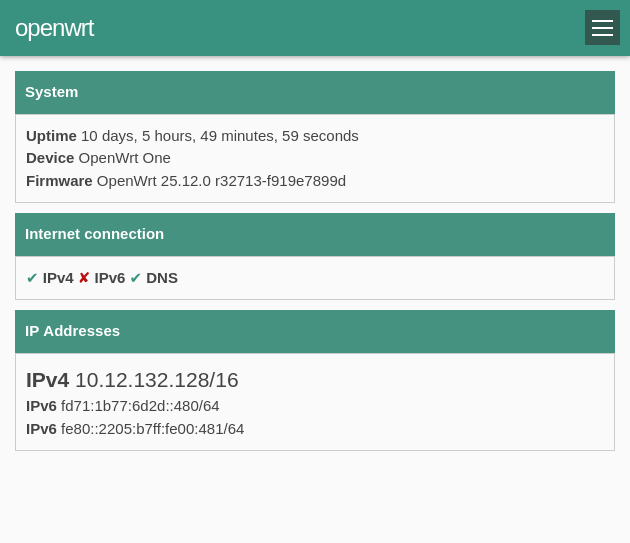
The recommended way to access the node on a LibreRouter is through the LimeApp web interface that comes preinstalled. It is a friendlier alternative to LuCI/SSH for everyday node administration and is the default UI of LibreRouterOS. See the full Using LimeApp guide for a tour of its features (status, alignment, diagnostics, firmware update, etc.).
via SSH
Refers to SSH to OpenWrt
The following bash aliases are recommended:
+ssh-rsa- (optional) Required if the node runs an openwrt older than the branch 23.05ussh- an alias to:- Ignore KnownHost files, useful when connecting to the Anygw address
10.13.0.1or the anygw FQDNthisnode.info - Disable
StrictHostKeyChecking, useful to reconnect after ugrading to a newer OpenWrt version withoutkeeping settings.
- Ignore KnownHost files, useful when connecting to the Anygw address
sh
cat << EOF >> ~/.bashrc
alias ssh="ssh -o HostKeyAlgorithms=+ssh-rsa -o PubkeyAcceptedKeyTypes=+ssh-rsa"
alias ussh="ssh -o UserKnownHostsFile=/dev/null -o GlobalKnownHostsFile=/dev/null -o StrictHostKeyChecking=no"
EOF
source ~/.bashrc
Connect to the device
sh
ussh root@thisnode.infoOnce the connection is established the default banners will be printed to the console:
BusyBox v1.37.0 (2026-03-05 17:27:01 UTC) built-in shell (ash)

  _______                     ________        __
 |       |.-----.-----.-----.|  |  |  |.----.|  |_
 |   -   ||  _  |  -__|     ||  |  |  ||   _||   _|
 |_______||   __|_____|__|__||________||__|  |____|
          |__| W I R E L E S S   F R E E D O M
 -----------------------------------------------------
 OpenWrt 25.12.0, r32713-f919e7899d Dave's Guitar
 -----------------------------------------------------

 === WARNING! =====================================
 There is no root password defined on this device!
 Use the "passwd" command to set up a new password
 in order to prevent unauthorized SSH logins.
 --------------------------------------------------

  ___   __ __                _______             __
 |   |_|__|  |--.----.-----.|   |   |-----.-----|  |--.
 |     |  |  _  |   _|  -__||       |  -__|__ --|     |
 |_____|__|_____|__| |_____||__|_|__|_____|_____|__|__|

 ------------------------------------------------------
 LiMe master development (master rev. 7929208 20260304_1752)
 ------------------------------------------------------
 https://libremesh.org
 ------------------------------------------------------

 === System Notes =================================================

 = edit via http://thisnode.info/app/#/notes or /etc/banner.notes =


 OpenWrt recently switched to the "apk" package manager!

 OPKG Command           APK Equivalent      Description
 ------------------------------------------------------------------
 opkg install <pkg>     apk add <pkg>       Install a package
 opkg remove <pkg>      apk del <pkg>       Remove a package
 opkg upgrade           apk upgrade         Upgrade all packages
 opkg files <pkg>       apk info -L <pkg>   List package contents
 opkg list-installed    apk info            List installed packages
 opkg update            apk update          Update package lists
 opkg search <pkg>      apk search <pkg>    Search for packages
 ------------------------------------------------------------------

For more information visit:
https://openwrt.org/docs/guide-user/additional-software/opkg-to-apk-cheatsheet

root@openwrt:~#