
Accessing LimeApp
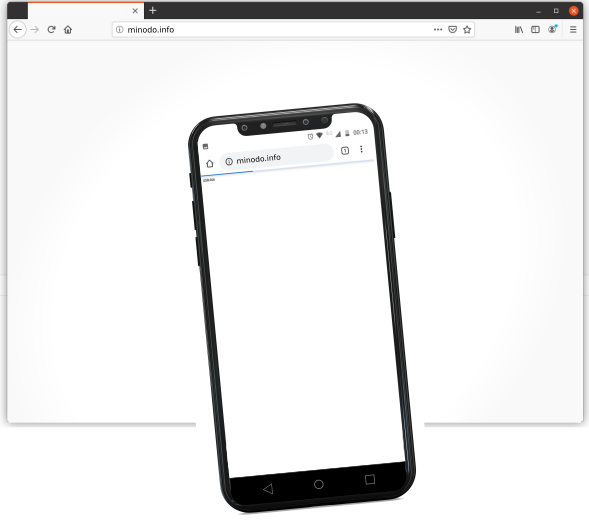
The most common way to reach LimeApp is from the Wi-Fi connection of the phone or notebook you are using.
- Turn off the mobile data connection.
- Connect your device to the Wi-Fi zone of the LibreRouter.
- Open a browser (Chrome, Firefox, etc.).
- Type
http://minodo.infoin the address bar.
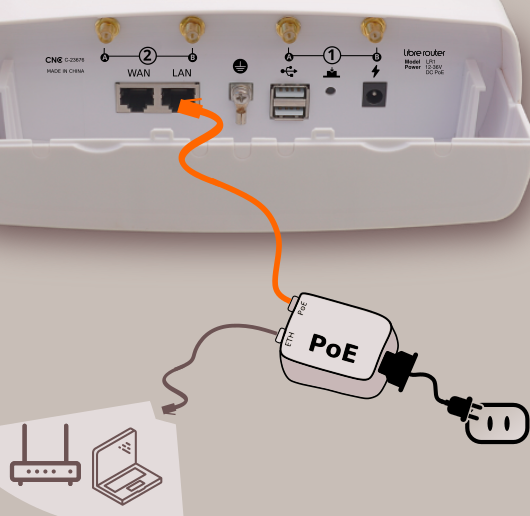
You can also reach LimeApp via a wired connection: plug a network cable from the LAN port of the LibreRouter (or its PoE injector) into the Ethernet port of your notebook or computer.
See also the Connecting to the router page for the full list of hostnames and IP addresses that can be used to reach a node.
Attribution. Translated from «¿Cómo acceder?» by AlterMundi, licensed under CC BY-SA 4.0.