
Visit neighbor node
This option lets you reach the information of another node in the network that is connected to the base node.
It makes it easy to diagnose other nodes in the network without having to physically visit them. It is also useful to investigate the performance of the network from the perspective of different nodes, allowing for a deeper and more detailed analysis of the shared infrastructure.
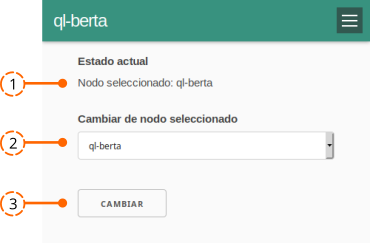
- Shows the currently selected node, i.e. the one you are working from.
- Switch selected node. Provides the list of nodes the base node knows within the network, so you can choose from which node to continue investigating.
- Change button. Pick the node to evaluate and press Change.
This takes you to the Status screen of the newly selected node, and you can navigate the entire menu from that node.
Attribution. Translated from «Visitar nodo vecino» by AlterMundi, licensed under CC BY-SA 4.0.