
Node configuration
This screen lets you view and/or edit the name of the node.
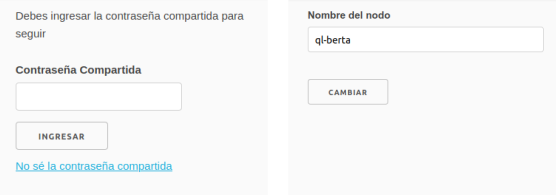
- Enter the administration password, then press Log in.
- The current name of the node is shown and can be edited in place.
- To apply the change, press Change.
Attribution. Translated from «Configuración del Nodo» by AlterMundi, licensed under CC BY-SA 4.0.