
Using LimeApp
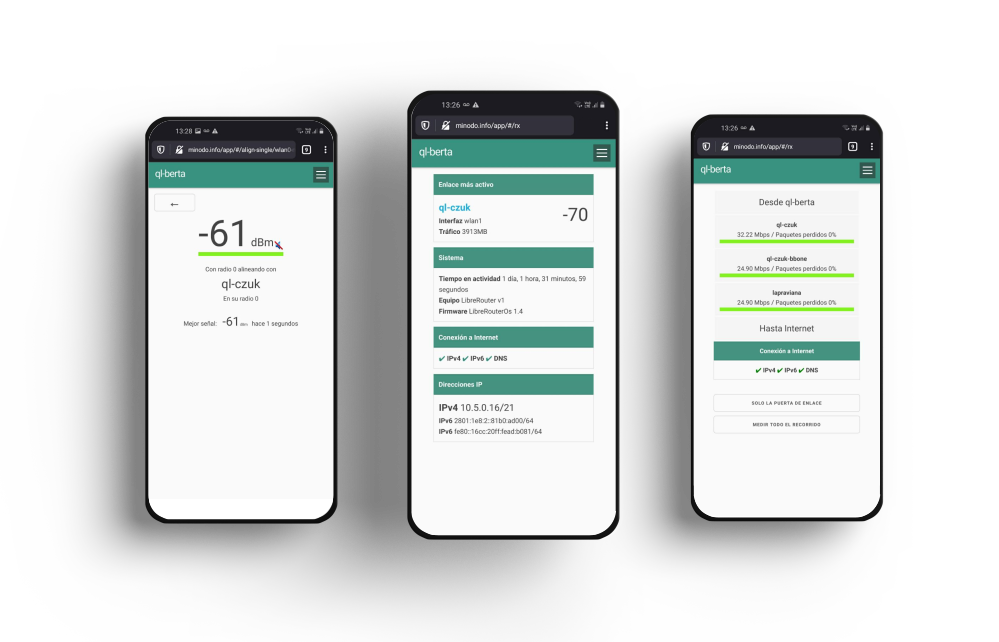
LimeApp is a web application that ships preinstalled on LibreRouter devices. It is a free software project under constant development, growth, and improvement.
One of its goals is to bring friendly and accessible tools for self-managing and co-creating pieces of the Internet by building community networks.
It lets you measure, diagnose, and administer a community network, its nodes, and its links locally, without an Internet connection.
LimeApp is available on every node of the community network as part of the LibreRouterOS operating system. Because it runs locally on each node, it requires neither an Internet connection nor an additional device to be used.
About the screenshots
The screenshots in this guide were captured from the Spanish build of LimeApp 1.4 (the only version published by the upstream project at the time). The buttons and labels described in the text use the English equivalents of those Spanish terms (for example, Ingresar → Log in, Cambiar → Change, Descargar → Download), which match the current English build of LimeApp.
In this section
| Page | Description |
|---|---|
| Accessing LimeApp | Steps to reach LimeApp from a Wi-Fi or wired connection. |
| A tour of the menu | A complete walkthrough of every screen and tool, with tutorials and videos. |
| Aligning antennas | Step-by-step recommendations and procedure for aligning the antennas of a LibreRouter with LimeApp. |
| Glossary | A collection of terms and their explanations, handy for quick reference. |
| Full PDF booklet | All of the content compiled into a single printable PDF. |
Getting help
The LibreRouter forum is the place for support, shared experiences, and community help.




Attribution. This page is a translation of «Usar LimeApp 1.4» by AlterMundi, licensed under CC BY-SA 4.0.